
Choosing the right hardware for your desk can make or break your performance during high-stakes matches. Every input matters when milliseconds dictate victory or defeat, making your choice of input device critical.
Finding the ideal peripheral requires looking closely at response times, switch mechanics, tactile feedback, and long-term durability. By comparing how each technology handles high-intensity inputs, you can determine which keyboard type best elevates your play.
Understanding Switch Types and Core Architecture
The fundamental difference between these two options lies entirely beneath the keycaps. How a keystroke registers dictates your speed and precision during intense matches.
Membrane Keyboard Mechanisms
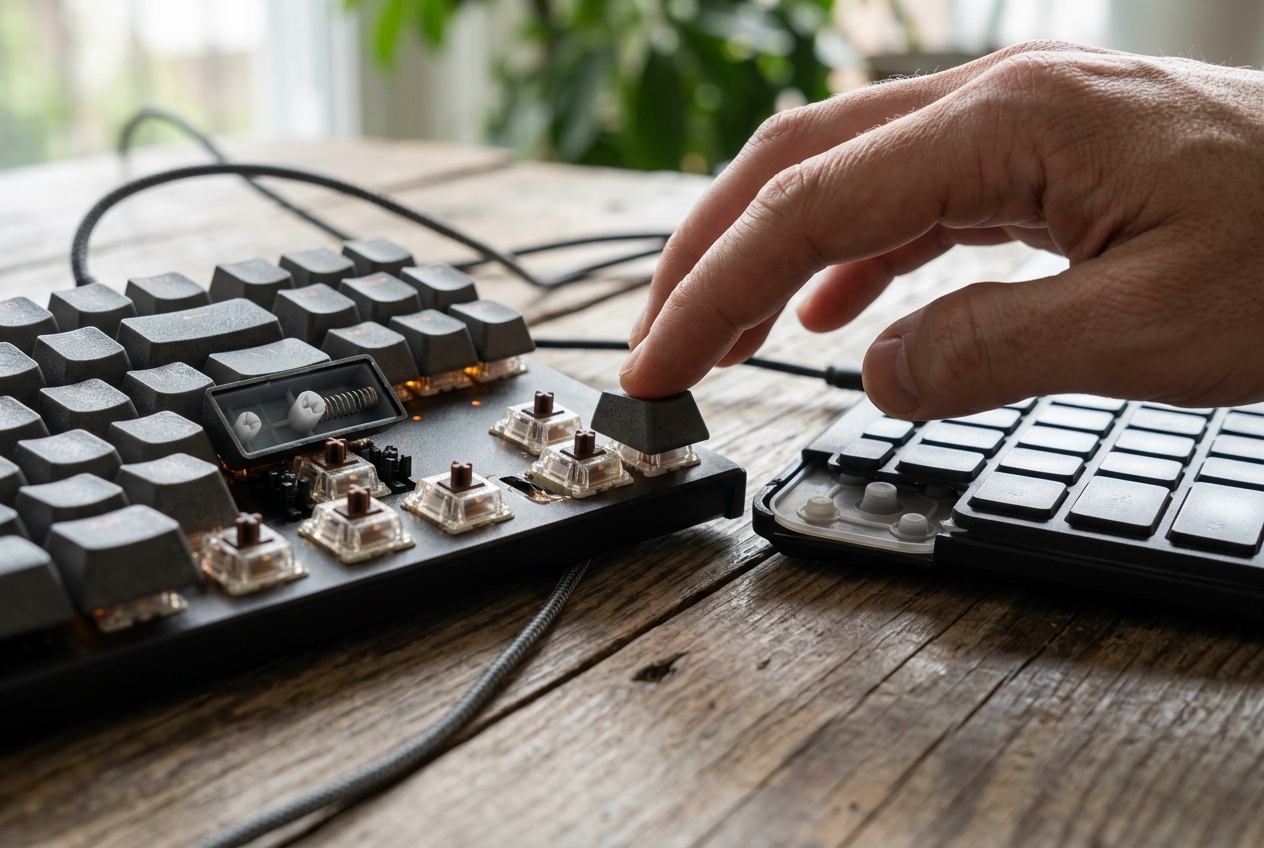
Membrane keyboards rely on a continuous, pressure-sensitive rubber dome sheet stretched beneath a flexible upper layer. When you press a key, a rubber dome collapses to push a carbon pad down against a circuit board, completing the electrical connection.
This design makes manufacturing affordable and keeps typing quiet. However, it requires a full downward press before registration occurs, which can slow down rapid inputs during fast-paced play.
Mechanical Switch Mechanics
Mechanical keyboards use individual, spring-loaded switches for every single key. These discrete units offer distinct physical actuation points, allowing commands to register halfway through a keystroke without bottoming out.
Gamers heavily favor these switches when building out their ideal competitive gaming gear because they provide consistent resistance and unmatched tactile precision. You can choose from linear, tactile, or clicky switch variants based on your exact preference.
Response Times and Actuation Speed
Speed is everything when executing tight combos or split-second counter-strafes. Laggy inputs can easily ruin an otherwise flawless tactical play.
Why Mechanical Keyboards Dominate Speed
Mechanical switches feature much higher polling rates and shorter actuation travel distances. Linear switches, in particular, allow for instantaneous double-taps because the spring resets immediately upon release.
Integrating responsive switches into your PC gaming setup dramatically reduces input latency. This millisecond advantage gives competitive players the edge needed to outmaneuver opponents in twitch-reaction shooters.
Membrane Latency and Mushy Feedback
Membrane boards often suffer from a slight delay or “mushy” bottom-out feel because the rubber dome must deform fully to register the signal.
While modern high-end membrane options have improved, they still lack the crisp, instantaneous break point found on traditional mechanical vs membrane keyboard alternatives. This spongy resistance can cause finger fatigue during marathon gaming sessions.
Durability, Build Quality, and Lifespan
Hardware endurance is a major factor for players who hammer keys relentlessly during heavy daily use. Investing in a long-lasting board saves money and ensures reliable performance over years of play.
Mechanical Longevity and Switch Swapping
Mechanical keyboards are built like tanks, often featuring heavy aluminum top plates and hot-swappable circuit boards. Standard switches are rated for anywhere from 50 million to 100 million keystrokes.
If a single switch eventually wears out, many modern boards allow you to pull it out and replace it instantly. This modular durability makes mechanical boards a long-term investment for serious enthusiasts.
Membrane Wear and Tear
Membrane domes degrade over time as the rubber loses its elasticity. Once the rubber stretches or tears, keys begin to feel uneven, sticky, or unresponsive.
Because the entire sheet is interconnected, a single damaged dome often requires replacing the entire internal membrane assembly. They simply cannot match the multi-year resilience offered by high-end gaming hardware durability standards.
Customization and Ergonomic Customization
Personalizing your peripheral enhances comfort during long sessions while allowing you to tailor tactile feedback to your specific playstyle.
Keycap Swaps and Programmable Software
Mechanical boards offer immense modularity, letting you swap out custom keycaps, lubricate stabilizers, and program custom actuation points via software.
Advanced models also feature per-key RGB lighting and onboard memory profiles, making them essential components of any serious custom gaming rig layout.
Fixed Layouts and Limited Options
Membrane keyboards rarely offer customization. Keycaps are typically non-standard and difficult to replace, and software support for macro programming is usually sparse or entirely absent.
While they work fine for casual typing or office work, they lack the deep personalization features that competitive players demand from their gear.
Making the Final Decision for Your Playstyle
Selecting between these two technologies depends on your budget, competitive goals, and preference for tactile feedback.
If you view gaming as a serious hobby where every millisecond counts, investing in a responsive mechanical board is the clear choice. For casual players on a tight budget, a quiet membrane option provides basic functionality without breaking the bank. Evaluating your performance needs ensures your equipment supports your journey to the top of the leaderboard.