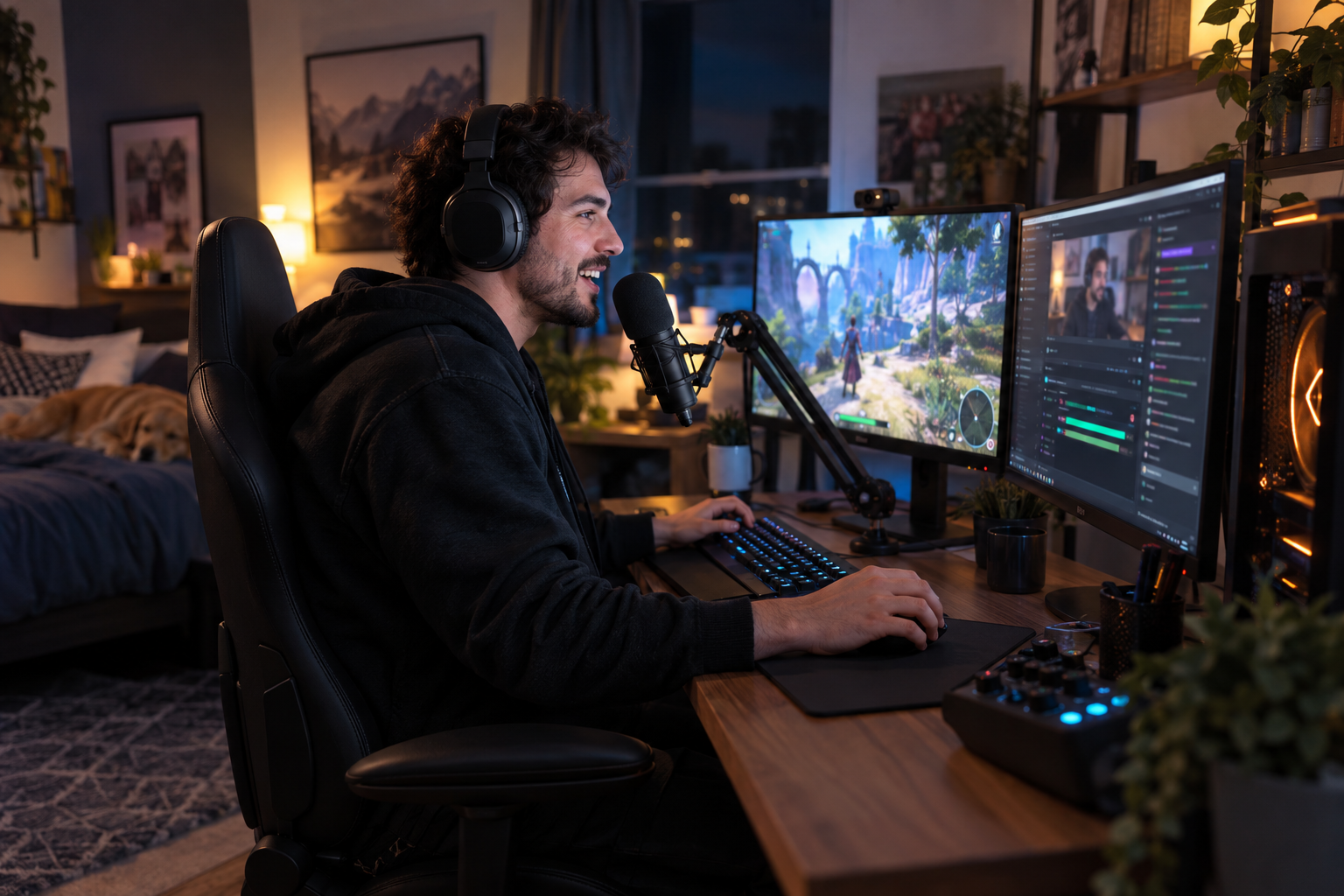
Streaming gameplay looks simple from the outside: launch a game, press the broadcast button, and start talking. In reality, building a stream that people enjoy requires preparation, technical stability, consistent presentation, and genuine interaction.
You do not need an expensive studio or professional esports skills to begin. A reliable setup, clear audio, and an engaging personality are far more important during the early stages.
Whether you choose Twitch, YouTube, or both, the following tips will help you create a polished stream and gradually build a loyal audience.
Define the Purpose of Your Gaming Channel
Before purchasing equipment, decide what viewers should expect from your channel. A focused identity makes your content easier to remember and gives potential followers a clear reason to return.
Your channel could focus on competitive matches, relaxed playthroughs, speedrunning, tutorials, game reviews, challenge runs, or entertaining reactions. Choose a direction that matches your personality and the games you genuinely enjoy.
A new gaming content creator does not need to cover every popular release. Starting with one main category or a small selection of related games can create a more consistent audience.
Identify What Makes Your Stream Different
Thousands of channels may already feature the game you want to play. Your personality and presentation are what separate your stream from the others.
You might be an excellent strategist, a naturally funny commentator, a patient teacher, or an enthusiastic collector of hidden items. Turn that strength into a recognizable part of every broadcast.
Avoid copying the personality or catchphrases of a famous streamer. Viewers are more likely to connect with someone who feels authentic, even if the production is still developing.
Choose Between Twitch and YouTube
Twitch is built around live interaction and has a strong culture of gaming communities, raids, subscriptions, and channel-based conversations. It can be a natural platform for creators who want live streaming to remain their primary focus.
YouTube combines livestreaming with searchable videos, Shorts, guides, reviews, and archived broadcasts. It may be more suitable if you plan to turn stream highlights into additional content.
Many beginners researching how to stream gameplay assume they must immediately broadcast on multiple platforms. It is usually easier to learn one platform first before expanding your workflow.
Consider How Viewers Will Discover You
Livestream discovery can be difficult when a game category contains hundreds of active channels. Selecting only the most crowded games may place your broadcast near the bottom of the directory.
Smaller or moderately popular categories can offer better visibility, provided those games still have active viewers. You can also use edited clips and short videos to introduce new people to your live content.
Choose a platform based on your long-term content strategy, not simply because your favorite celebrity streamer uses it.
Build a Reliable Streaming PC or Console Setup
Your computer must run the game and encode the stream without causing severe frame drops. The exact requirements depend on the game, resolution, frame rate, and encoder you plan to use.
A modern multi-core processor, a capable graphics card, at least 16 GB of RAM, and an SSD provide a practical foundation for most beginner setups. Competitive games that already run at very high frame rates may require additional performance overhead.
A stable system is more valuable than unnecessary visual effects. These game streaming setup tips can help you prioritize smooth performance before decorative upgrades.
Use a Capture Card When Necessary
If you stream from a PlayStation, Xbox, Nintendo console, handheld system, or separate gaming computer, a capture card can transfer the video signal to your streaming PC.
Check that the device supports your intended input resolution, refresh rate, passthrough quality, and recording format. A basic 1080p capture card may be sufficient if you do not plan to broadcast in 4K.
Some consoles include native streaming options. These are convenient for beginners, although they generally offer less control over overlays, alerts, scenes, and audio routing.
Prioritize a Stable Internet Connection
Upload speed is critical because your device continuously sends video and audio data to the streaming platform. Use a wired Ethernet connection whenever possible because it is generally more stable than Wi-Fi.
Your available upload speed should comfortably exceed the bitrate used by your stream. Leaving extra capacity helps prevent sudden quality drops when another device begins using the network.
Run several connection tests at the same time of day you plan to stream. Network performance during a quiet morning may be very different from performance during busy evening hours.
Invest in Clear Audio Before Expensive Video
Viewers may tolerate an average webcam, but distorted or inconsistent audio can make them leave quickly. Your voice should be easy to understand without being overwhelmed by keyboard clicks, game sound, or background noise.
A good USB microphone can deliver excellent results without requiring an audio interface. Position it close enough to your mouth and reduce the input gain instead of placing it far away with maximum sensitivity.
Among the most useful Twitch streaming tips is to listen to a private recording through both headphones and phone speakers. This reveals volume problems that may not be obvious while you are live.
Balance Your Voice and Game Audio
Your commentary should normally sit above the game sound without completely removing the atmosphere. Dialogue-heavy games may require different audio levels from loud shooters or racing titles.
Use separate audio sources when possible so you can adjust the microphone, game, music, voice chat, and alerts independently. Filters such as noise suppression, compression, and a limiter can also make your voice more consistent.
Avoid using copyrighted music unless you have the appropriate rights or permission. Background music is optional, and a clean voice with balanced game audio is often enough.
Configure Your Streaming Software Carefully
Streaming software allows you to combine gameplay, microphone audio, webcam footage, alerts, overlays, and other sources into a single broadcast.
Create separate scenes for starting soon, gameplay, short breaks, full-screen webcam conversations, and stream endings. Scene organization helps you switch layouts quickly without displaying private windows or desktop notifications.
Test your encoder, output resolution, bitrate, and frame rate before your first public broadcast. A smooth 720p or 1080p stream usually feels better than a higher-resolution feed that constantly freezes.
Keep Overlays Clean and Functional
An overlay should support the content rather than cover important game information. Keep the central gameplay area clear and place alerts, chat boxes, goals, and webcam frames around interface elements that viewers need to see.
Use readable fonts and consistent colors. Too many animated graphics can distract viewers and consume system resources.
Following practical livestream production advice will help your channel look intentional without turning the screen into a collection of competing elements.
Engage With Chat Naturally
Interaction is one of the strongest advantages of livestreaming. Greet new participants, respond to relevant messages, and ask questions that encourage viewers to join the conversation.
You do not need to narrate every action, but long periods of silence make it difficult for new viewers to understand your personality. Explain your decisions, react to important moments, and share short stories related to the game.
Keep talking even when the viewer count is low. Someone watching an archived broadcast or entering without sending a message can still hear your commentary.
Create Healthy Community Boundaries
Establish simple chat rules covering harassment, spoilers, self-promotion, spam, and inappropriate language. Clear expectations make moderation more consistent.
As your audience grows, trusted moderators can help manage disruptive behavior while you concentrate on the broadcast. Automated filters can also reduce repetitive spam, but they should not replace human judgment entirely.
Never feel obligated to reveal private information. A successful community can feel welcoming without having unrestricted access to your personal life.
Follow a Consistent Streaming Schedule
Consistency teaches viewers when they can find you. Choose days and hours that realistically fit around work, school, family obligations, and adequate rest.
Streaming every day is not necessary. Two or three dependable broadcasts each week can be more effective than an ambitious daily schedule that quickly leads to exhaustion.
A realistic game streaming schedule should include preparation and recovery time. You may also need additional hours for editing clips, designing thumbnails, reviewing analytics, and planning future content.
Tell Viewers What You Plan to Stream
Publish your schedule on your channel page and social profiles. Mention the game, starting time, time zone, and any special challenge or community event.
If you must cancel a broadcast, inform viewers as early as possible. Occasional changes are normal, but frequent unexplained absences make it difficult to build viewing habits.
Test different time slots during your first few months. Your analytics may reveal that your audience is more active at a different hour than expected.
Select Games Strategically
Playing only the biggest release can expose your channel to a large potential audience, but it also creates intense competition. Playing an extremely obscure title may offer visibility but very few interested viewers.
Look for a balance between personal enjoyment, audience demand, and category competition. Your enthusiasm will be difficult to fake during a broadcast lasting several hours.
Useful gameplay streaming strategies include rotating between one dependable main game and occasional experimental titles. This maintains familiarity while preventing the channel from becoming repetitive.
Avoid Chasing Every Trend
A trending game can produce temporary attention, but switching categories constantly may prevent viewers from understanding your channel identity.
Participate in trends when they genuinely match your style. If a new release does not interest you, forcing yourself to stream it can result in flat commentary and an unconvincing presentation.
Your long-term goal is not merely to attract clicks. It is to attract viewers who enjoy your specific approach to gaming.
Turn Every Stream Into Additional Content
A completed broadcast can produce highlights, tutorials, funny moments, reviews, reaction clips, and short vertical videos. Repurposing content helps your channel reach people who rarely browse live categories.
Mark memorable moments while streaming or write down their timestamps. This reduces the time needed to search through several hours of footage later.
Edit clips so they make sense without requiring viewers to watch the full broadcast. Add brief context, remove empty pauses, and begin with the most interesting moment.
Write Search-Friendly Titles and Descriptions
A clear title should tell viewers what game you are playing and why the broadcast is worth watching. Replace vague phrases such as “going live again” with a specific challenge, rank goal, tutorial topic, or story objective.
Use natural keywords in titles and descriptions without repeating them excessively. Search optimization should help people understand the content rather than make the text sound robotic.
Developing effective YouTube gaming channel tips also means creating accurate thumbnails and descriptions. Never promise an event or result that does not appear in the content.
Review Your Performance After Every Stream
Watch part of your archived broadcast and evaluate the audio, video quality, pacing, commentary, and chat interaction. This may feel uncomfortable at first, but it is one of the fastest ways to identify weaknesses.
Check whether your microphone volume changes, your overlay blocks important information, or your commentary disappears during difficult gameplay. Correct one or two issues before the next broadcast instead of attempting to redesign everything.
Analytics can show average watch time, peak viewers, returning viewers, and the moments when people leave. Use these numbers as evidence, but do not allow one disappointing stream to define your progress.
Protect Your Privacy and Account
Enable two-factor authentication and use a unique password for every platform connected to your channel. Protect your email account as carefully as your Twitch or YouTube login.
Disable desktop notifications before going live. Check browser tabs, file names, private messages, payment information, and account details before capturing your display.
Consider using separate gaming and creator accounts where appropriate. Small precautions can prevent personal information from accidentally appearing on screen.
Focus on Sustainable Growth
Most channels grow gradually. Early streams may attract only a few viewers, and some broadcasts may have no active chat at all. This is normal and does not mean the channel has failed.
Set achievable goals based on actions you control, such as keeping a schedule, improving audio, publishing two clips each week, or practicing stronger commentary.
The best path toward becoming a successful streamer is to combine technical improvement with patience and genuine community building. Reliable broadcasts may attract attention, but your personality and consistency give viewers a reason to stay.
Start with the equipment you already own, improve the weakest part of your setup, and keep learning from every session. A polished channel is rarely created overnight—it develops through dozens of small, deliberate improvements.