
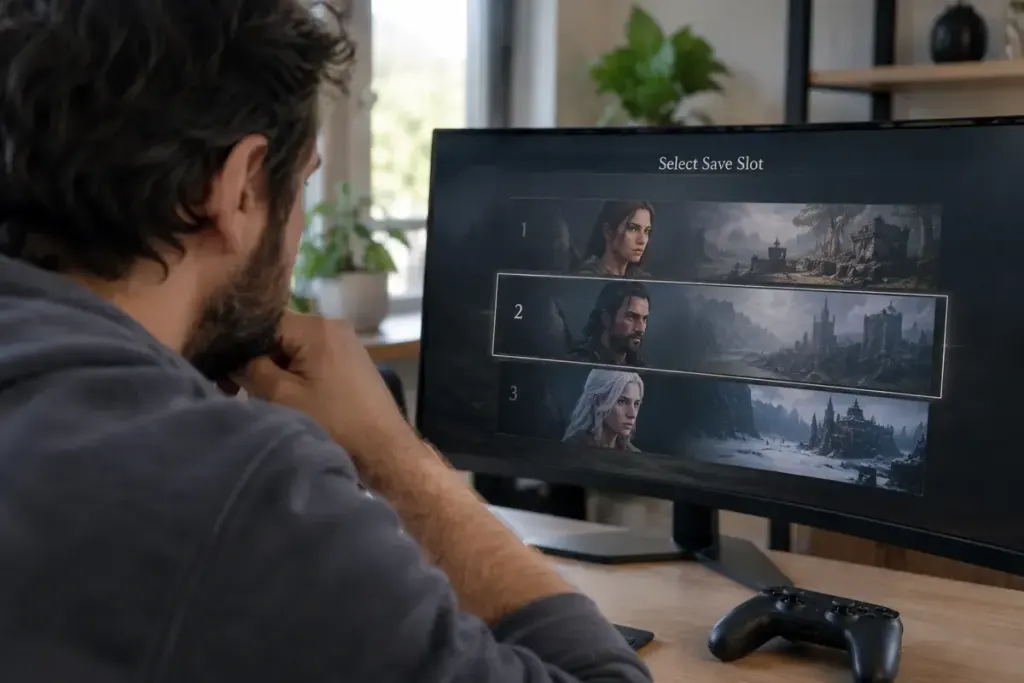
A save menu may show a portrait, a location and a time played without telling the whole story. Two slots can belong to different characters in the same campaign, while a third is an automatic checkpoint. Treating all three as spare copies is an easy way to remove progress you meant to keep.
Start by opening the game’s description of its save system. Find out whether the action affects a single slot, an entire character or every save under the selected profile. A console’s storage menu and a game’s own load screen may organise the same data differently.
Build a small identity check
For each slot you are considering removing, note the character name, campaign or mode, difficulty, location and displayed timestamp. If the game allows a safe preview, inspect those details without saving over anything. Avoid assuming that the largest playtime is the latest useful point: it could belong to a different run.
Imagine a household with one finished campaign and one new character. A portrait may look similar because both characters use the same appearance. The chapter and difficulty can be more useful clues than the thumbnail. Ask the other player before deleting a slot whose owner is uncertain.
Separate deletion from tidying
If the game supports naming saves or marking favourites, use that feature to identify important progress first. Follow the publisher’s instructions for any supported export or backup; do not assume copying a visible file will preserve account-bound or online progress.
Read the final confirmation slowly. Check both the object being removed and whether recovery is offered. Cloud synchronisation can carry a deletion to another device, so another console is not automatically an untouched spare copy.
When the slot’s identity remains unclear, leave it in place. A crowded menu is usually easier to resolve than a missing character. The useful question is not “Have I got several saves?” but “Do I know precisely which progress this action removes?”